SPF, DKIM and DMARC for WordPress email: a record-by-record setup
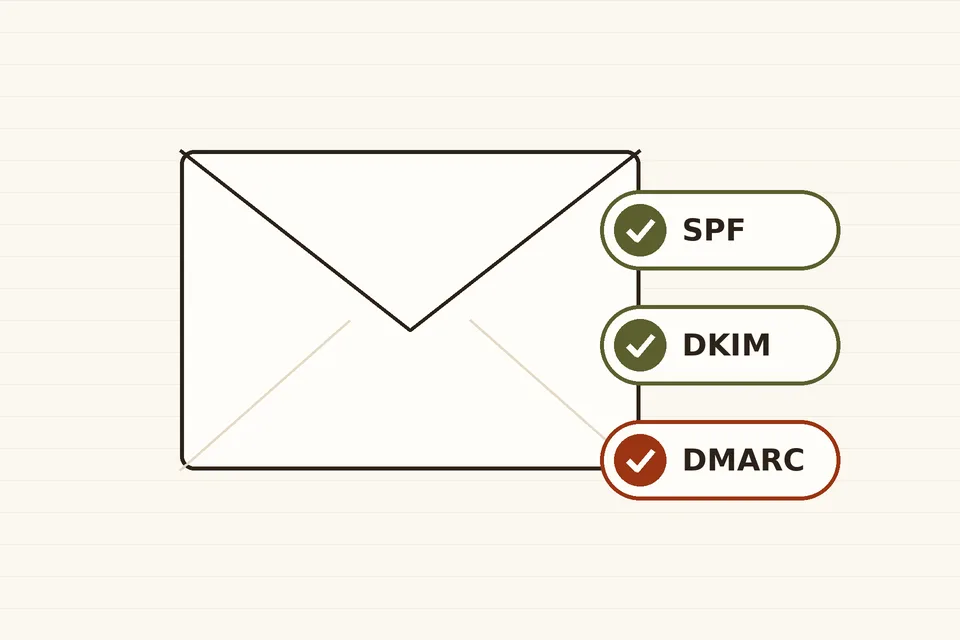
Routing WordPress mail through a proper SMTP server is only half the job. The other half lives in your domain's DNS: three text records that tell Gmail, Yahoo and Outlook that the server is allowed to send for you.
If your site's mail still goes through PHP's mail() function, start with why WordPress mail goes missing, which explains how to switch to an authenticated server. This guide assumes that is done and walks through the DNS side, record by record, with the mistakes that most often break WordPress sites.
Three checks, two domains
Every email carries two sender addresses. The envelope sender (also called Return-Path or MAIL FROM) is used by servers for bounces; the From header is what the reader sees. The three mechanisms look at them differently:
- SPF (RFC 7208) checks whether the IP address that delivered the message is listed in the SPF record of the envelope sender's domain.
- DKIM (RFC 6376) checks a cryptographic signature added by the sending server. The signature names a domain (the
d=value), and the public key is published in that domain's DNS. - DMARC (now RFC 9989, published in May 2026 as a Standards Track document replacing the informational RFC 7489) ties the two to the visible From domain. A message passes DMARC only if SPF or DKIM passes and the domain that passed is aligned with the From domain.
Alignment is the part people miss. Many transactional services send with an envelope sender on their own domain, such as bounces.provider.example. SPF then passes, but for the provider's domain, not yours, so it does not help DMARC. The fix is to sign with DKIM on your own domain, and where the provider offers it, to set a custom return-path subdomain such as bounce.example.com.
Step 1: list everything that sends as your domain
Before touching DNS, make an inventory. On a typical WordPress site it includes:
- the SMTP server or API service used by
wp_mail()for password resets, form notifications and order emails; - a newsletter service, if you send one (see sending a newsletter from WordPress);
- your mailbox provider (Google Workspace, Microsoft 365 or your host's mail), used for everyday email;
- anything else: a helpdesk, an invoicing tool, a CRM.
Each one needs to pass SPF or DKIM in an aligned way. Anything you forget will start failing once DMARC moves to enforcement.
Step 2: one SPF record, under ten lookups
SPF is a single TXT record at the root of the domain. Publishing two records starting with v=spf1 is an error that makes SPF fail entirely, so merge every service into one:
example.com. TXT "v=spf1 include:_spf.google.com include:spf.provider.example ~all"
Each include:, a, mx, exists and redirect term costs a DNS lookup, and section 4.6.4 of RFC 7208 caps the total at ten, counting the lookups inside included records too. Past that, receivers return a permanent error and SPF fails. Large providers' includes can each use several lookups, so check the total with any SPF testing tool after each change. Remove services you no longer use rather than piling on more.
End the record with ~all (softfail) or -all (fail). With DMARC in place, receivers act on the DMARC result rather than on the SPF qualifier alone, so ~all is a common and safe choice.
Step 3: DKIM for every sender
Each service generates its own key pair and tells you what to publish. The record lives under a selector, a label of the provider's choosing:
s1._domainkey.example.com.  CNAME  s1.domainkey.provider.example.
google._domainkey.example.com.  TXT  "v=DKIM1; k=rsa; p=MIIBIjANBgkq..."
Some providers ask for CNAME records so they can rotate keys without your involvement; others give you the TXT value directly. Selectors let several services sign for the same domain without conflict. RFC 8301 requires RSA keys of at least 1,024 bits; choose 2,048 bits when the provider offers it. Then turn signing on in the provider's dashboard: publishing the key alone does nothing.
If you send directly from a Google account, as described in WordPress and Gmail SMTP, remember that Google Workspace does not sign with your domain until an administrator generates the key in the Admin console and clicks Start authentication.
Step 4: DMARC, starting in monitoring mode
DMARC is a TXT record at _dmarc.example.com. Start with a policy that changes nothing but sends you reports:
_dmarc.example.com. TXT "v=DMARC1; p=none; rua=mailto:dmarc@example.com"
The tags you are most likely to use:
| Tag | Meaning |
|---|---|
p | Policy for mail that fails: none, quarantine or reject. |
sp, np | Policy for subdomains, and for subdomains that do not exist. |
rua | Where aggregate reports go (daily XML summaries from receivers). |
adkim, aspf | Alignment mode, r (relaxed, the default: subdomains count) or s (strict: exact match). |
t | Test mode, y or n; new in RFC 9989. |
RFC 9989 removed the old pct tag, whose percentages were applied inconsistently by receivers; t=y replaces its one widely useful value, pct=0. Receivers following the new specification ignore tags it does not define, so an old pct value does no harm, but it no longer does anything either.
Step 5: read the reports, then tighten
Aggregate reports are XML files, sent daily by the large mailbox providers to the rua address. They list each sending IP, how many messages it sent as your domain, and whether SPF, DKIM and alignment passed. Read them with a free DMARC report viewer or a hosted service rather than by hand. Look for:
- legitimate services failing alignment: fix their DKIM or return-path before going further;
- unknown IPs sending as you: that is the spoofing DMARC is meant to stop;
- forwarding and mailing lists, which often break SPF but keep DKIM intact.
When a few weeks of reports show only expected senders passing, move to p=quarantine, watch again, and then to p=reject. There is no prize for speed: a password reset quietly rejected is worse than a month of extra monitoring.
What Gmail and Yahoo actually require
Since February 2024, Google's sender guidelines require every sender to Gmail to set up SPF or DKIM, have valid forward and reverse DNS, use TLS and keep reported spam below 0.3%. Senders of more than 5,000 messages a day to Gmail must have SPF, DKIM and a DMARC record (p=none is accepted), an aligned From domain, and one-click unsubscribe for marketing mail. Yahoo's best practices set the same bar for bulk senders. A small WordPress site sending notifications is well under the bulk threshold, but meeting the bulk rules anyway costs nothing and removes a whole category of delivery problems.
WordPress pitfalls
- Visitor addresses in From. Contact forms that send "from" the visitor fail DMARC for that visitor's domain. Use your own address in From and the visitor's in Reply-To.
- The default sender. WordPress uses
wordpress@plus your domain unless a plugin or thewp_mail_fromfilter changes it. Make sure the address is on a domain whose records you control. - Staging sites. A staging copy sending through the production SMTP credentials will show up in reports. Disable mail on staging or route it to a test inbox.
- Newsletters on a subdomain. Sending marketing mail from
news.example.comkeeps its reputation separate from password resets on the main domain; give the subdomain its own SPF and DKIM.
Checking the result
Send a password reset to a Gmail address, open it and choose Show original. The summary at the top should read PASS for SPF, DKIM and DMARC, and the DKIM line should name your domain, not the provider's. If DMARC fails while SPF and DKIM pass, the cause is almost always alignment.
These records grew out of decades of fighting forged mail; a short history of email authentication explains how each one came about and why DMARC only became an Internet standard in 2026.
 Email & newsletters
Why WordPress mail goes missing
Why WordPress emails disappear or land in spam, how wp_mail() works, and how to route site mail through an authenticated SMTP server or sending service.
 Email & newsletters
Sending a newsletter
How to run an email newsletter from a WordPress site today: in-site plugins versus email services, double opt-in, unsubscribe rules, and sender authentication.
 Email & newsletters
WordPress and Gmail SMTP
How to send WordPress email through a Gmail or Google Workspace account today: server settings, app passwords, OAuth, the Workspace SMTP relay, limits and pitfalls.