Logins & site admin
Login lockouts, custom login addresses, maintenance mode and lightweight visitor statistics.
- "There has been a critical error on this website": WordPress recovery mode, step by step
What WordPress's critical error message means, how the recovery mode email and link work, how to find the plugin or theme at fault with the debug log, and what to do when no email arrives.
- Custom login URLs and login links in WordPress: what they do and don't protect
Moving the WordPress login page to a custom address, redirecting users after login, and passwordless login links: how each works, and the security trade-offs.
- How to back up a WordPress site: files, database and a restore you have tested
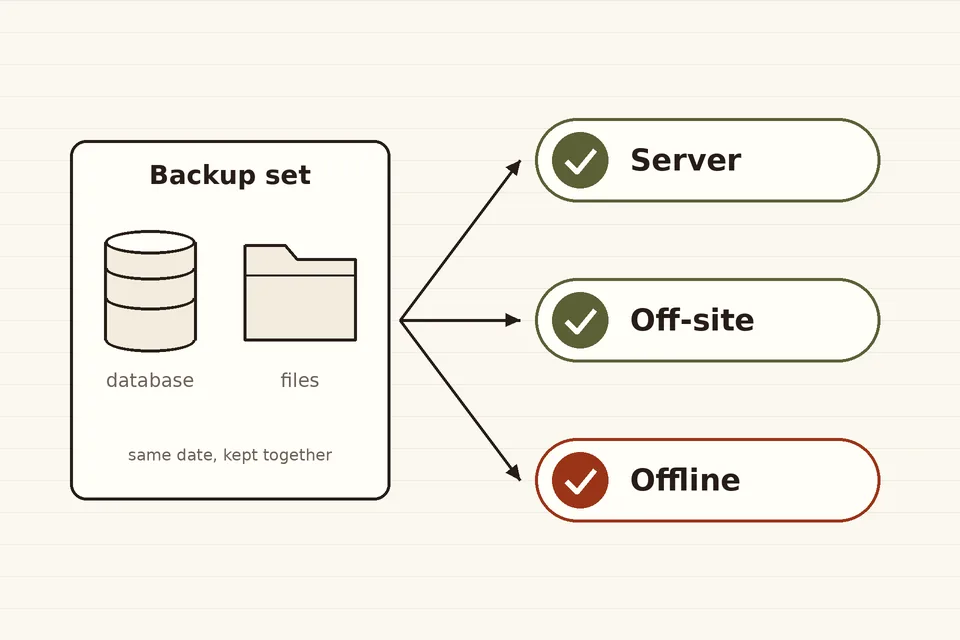
What a complete WordPress backup contains, how to make one with your host, a plugin or WP-CLI, where to keep the copies, and how to test a restore before you need it.
- Lightweight visitor statistics for WordPress: options without the bloat
How to count visitors on a WordPress site without a heavy analytics suite: privacy-friendly plugins, self-hosted Matomo, hosted alternatives and server logs compared.
- Locking WordPress down: login lockouts and maintenance mode
Two kinds of lock-out for WordPress: limiting failed login attempts against brute-force attacks, and closing the site to visitors during maintenance without hurting SEO.
- Two-factor authentication for WordPress: authenticator apps, passkeys and recovery
How to add a second login factor to WordPress: authenticator-app codes, email codes, security keys and passkeys, backup codes, application passwords, and how to avoid locking yourself out.
- WordPress user roles explained: who should be an Administrator, Editor, Author or Contributor
What each of WordPress's built-in roles can and cannot do, which capabilities carry real risk, how to choose a role for staff, freelancers and guest writers, and how to audit and tidy the user list without losing content.